Showing posts with label presentation. Show all posts

Saturday, October 23, 2021

Inclusive online collaboration - from disability to extrability

Blind man sitting at desk with computer and paper on desk.
Photo by Mikhail Nilov from Pexels

Over the last couple of years I have been learning about how we can make webinars and online meetings more accessible for blind and deaf people. This has come through collaboration with a remarkable guy called Oleg Kolpashchikov, who is president of the Russian White Cane organisation. He is totally blind and when we first met at a conference in Kazan in Russia three years ago I was so impressed with how easily he was able to use his iPad, mobile and laptop with the help of all the accessibility tools available today. Since then I have learned how blind people in particular can participate in webinars and online conferences and how we can facilitate their involvement. I admit I have only scratched the surface of this issue but I can share a few insights here.

A central theme of Oleg's work is the concept of extrability. What we so often describe as disability is in fact an extra ability, an extrability. For instance the loss of one sense demands greater use of other senses. Blind people need to develop extremely good memories or their ability to listen effectively. They have a keen awareness of the soundscape around them and this gives them an awareness of space that abled people lack. His organisation works a lot with activities where the abilities of abled and disabled people complement each other and where the development of trust is crucial. In a physical setting this can mean blindfolded seeing people being guided around a town by a blind person or even making food together in a blacked out kitchen. Or even working as a team to sail a yacht where the extrabilities can become very useful (sensitivity to wind direction, sounds etc).

How does this link into online collaboration. It can work very well as long as we make necessary adjustments. Firstly we have to learn to describe ourselves. We usually introduce ourselves by saying our name, what we do and where we live but for blind people you just add a few phrases to describe what you look like - I'm a man in my 60s with short greying hair, glasses, clean shaven and wearing a blue open-necked shirt. For deaf people we need automatic captioning or a sign language interpreter. Blind people can learn from videos as long as they have an audio commentary that describes the visual features of the film as well as the commentary. Here's an example of this that describes the work of Oleg's organisation.


We can also help blind people by making simple adjustments to our PowerPoint presentations in webinars and meetings. These are summarised in an article by Holly Tuke, How to make your PowerPoint presentations more accessible. In short it means using the accessibility templates in PowerPoint and being consistent with the use of headings, sub-headings and normal text. Each headline should be unique and describe the contents clearly. Bullet points should end with a full stop so that text-to-speech apps don't just read out all the points as one sentence. Indeed punctuation is extremely important to avoid misunderstanding. Links should not be written as URL but as the title of the web page and a hyperlink, otherwise the text reader will read the whole URL character by character. It's also important to remember to add alt-text to images in the slideshow - just a short description of what the image shows. If you can post your slides before the session they can listen to them in advance and follow you even better. For those with hearing disabilities the presence of sign language interpreters or automatic captioning make the session accessible. Manual captioning is also an option but requires a skilled typist who can listen and type simultaneously. 

We can't realistically make online events 100% accessible for everyone but a few adjustments in our practice can lower the barriers that exist today. Working in mixed breakout groups of sighted and blind people is an excellent lesson that makes us realise the limitations of our "normal" interaction. It can be very confusing at first but with curiosity and a willingness to learn and adapt, the collaboration can work surprisingly well. 

The key is shifting our perception from disability to extrability.

Saturday, May 26, 2018

Projectors and microphones - devices we just can't get used to


No matter how digital we may be today there are some devices that we don't seem to ever come to terms with.

My first example is the projector. At every conference or meeting I attend someone has problems with these deceptively simple devices and sometimes these problems can escalate into lengthy battles as the audience murmurs sympathetically and knowingly in the background. We've all been there. You have your slides ready, connect the laptop to the projector but nothing happens ... no signal detected.  Even hardened tech professionals can be reduced to looking like embarrassed novices when confronted with a cranky projector. Projectors are totally unpredictable creatures who can be affectionate and happy one minute and then suddenly act as if they've never seen you before. They tend to be faithful to only certain devices and bitter enemies to all the rest and they really take objection to newcomers. Most conferences therefore play safe and insist on uploading all presentations to a computer that they know the projector will trust. Anyone who tries to plug in an outsider simply gets what's coming to them. If you're just going to show a slideshow then that's fine but if you're going to log into different web services and tools during your session it's very complex doing so on a strange device that may object to the sites you try to log into and your own device just works seamlessly. Even when you do make contact with the projector it nearly always chooses a bizarre screen resolution that means that my screen appears in magnified format and you need to play around with various controls to get something that the audience can see properly.

If I was asked to be counsel for the defense, I would probably build my case on how difficult it is for a poor simple projector to adapt to the myriad of settings and applications that people have on their devices. Older projectors simply can't keep up with the pace of chance and maybe it's unrealistic to expect them to do so. However, I do wish we could find a way for laptops and projectors to understand each other a little better.

My other example is the microphone. Here there are two issues: the device itself and our attitudes towards them. Wireless microphones have a habit of running out of battery power in the middle of a session or there's some loose connection somewhere that cuts off the sound at regular intervals. If there's no reserve device close at hand this can result in major interruptions and irritation. This problem is of course easy to remedy with good preparation. The other, trickier issue is people's extreme reluctance to use microphones at all. Even if the venue has microphones ready to use there are always speakers who ask the rhetorical question, "I don't need a microphone do I?" and the audience seldom objects. However those whose hearing is not 100% will seldom raise an objection even if they can hardly hear what is being said. If we are serious about inclusion in education the default should be to use a microphone. It doesn't hurt and everyone can hear you.

I admit that headsets can be awkward to put on but do it before you start and you'll be fine. Handheld microphones are trickier and you need to hold them close to your mouth. I've seen so many speakers gesticulating with their microphone hand or holding the mike too far from the mouth and so only the front rows can hear them at all. But with a bit of concentration and a positive attitude it works well and everyone can hear you. Let's see microphones as inclusive technology and use them better.

Sunday, March 11, 2018

Accessibility as default


Over the last couple of years I have become increasingly aware of accessibility issues in online education. I admit to previously not giving much thought to how people whose hearing, sight, physical mobility or cognitive abilities are different to my own, interact with digital media. However by meeting and discussing with people involved in this area, I have gained a few insights into accessibility questions and a whole new world has opened itself to me.

An article on the Webinar blog, Webinar Slides And Text-To-Speech, highlights the issue of writing to facilitate text-to-speech applications. If we follow some simple guidelines we can make sure that all our digital resources are more accessible. Instead of making alternative accessible versions, why not make accessibility default?

In a perfect world, we would make a version of presentation materials that are optimally designed for a sighted audience listening to a narrator, along with a second set of hardcopy materials that can be referenced by a larger and more physically diverse audience. But there are practical considerations for how much time and effort presenters can dedicate to their materials. If you can only make one version, why not make it accessible to everyone?

The article refers to an excellent guide to writing for accessibility: the British Dyslexia Association's Writing for text to speech. For example, when writing presentation slides, extra attention to punctuation can make an enormous difference for those who need to listen to the text. If you write bullet points without a full stop or semi-colon at the end of each point, then the text-to-speech app will simply read all points as one long sentence. With punctuation, however, it will be read as a list with pauses between points. Some other simple tips:

  • Write numbers manually in bullet lists since the automatic numbering is not picked up by the text-to-speech apps.
  • Dates should be written using the name of the month rather than combinations of digits (11 March 2018).
  • Times should use a colon instead of a stop to separate hours and minutes (10.30). 
  • Put stops in acronyms, otherwise the app may say it as a word (U.S.A. or e.g. would be best). 
  • Use styles to show headings or sub-headings rather than bold normal text. 
The list goes on. The point is that by following some simple rules, you can easily make your texts more accessible. Furthermore we also make our resources clearer and more consistent for all. Text-to-speech is used by many with perfect sight, for example listening to text in a mobile. Shouldn't we make sure we teach accessibility as default and not as an optional extra?

We all have so much to learn!

Saturday, November 19, 2016

The choreography of lectures


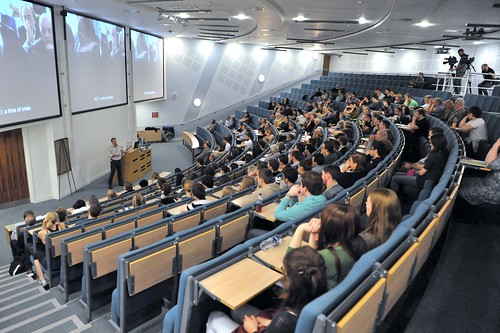
Despite all the studies and articles about the inefficiency of lecturing we seem to be addicted to the habit. I freely admit that I don't always practice what I preach but the format and location of most conferences make the traditional lecture almost unavoidable. It's rather amusing how many conferences I've attended on subjects like innovative pedagogy or future learning spaces that are based almost exclusively around lectures and the dreaded panel debates. Indeed I've listened to extremely boring lectures about innovative pedagogy.

So if we have to continue giving presentations, how can we lighten them up just a bit? The crucial success factors are of course enthusiasm for your subject and the ability to show an interest in the audience (eye contact, smiles, rhetorical questions etc). Talk to the audience, not at them. However probably most discussed feature of presentations is the question of whether or not to use slideshows. I'm always very wary of speakers who go "unplugged" and present without visual aids. Although there are a few genuine orators who can keep an audience's attention simply by the power of their narrative, the vast majority who try this tactic fail. Without the visual support the presentation becomes aimless and there are seldom any clues on how long it is going to last, what the objectives are or what the common theme is. It's all too easy to lose your audience..

I think we need to consider the choreography of a presentation. Even if it is largely a monologue it can vary in pace, deliver styles and types of interaction. Whether it's PowerPoint or Prezi doesn't really matter much in my opinion but the important factor is how they support your message. Far too many speakers still overload their slides with far too much text in an honest desire to provide as much information/value as possible but forgetting that there is a limit to how much an audience can absorb. Cognitive overload is a common problem and can be resolved by not talking when people need to read and not showing text when people are expected to listen. Use the slides to reinforce the structure of your presentation through keywords and images and provide the details orally. If you do have important information on a slide why not pause to let everyone read it before providing the details? Ask the audience to discuss the issue in pairs for a minute or so or simply ask a question for short silent reflection.

An article in Inside Higher Ed, A 50% Content / Discussion Formula for Academic Presentations presents a possible solution to turning presentations into discussions; cutting the input quota of your presentation to 50% and using the rest of the time for discussion. Very seldom is there much time for discussion even if that is what we value most at a conference.

Certainly, this 50 percent formula certainly is not the norm for academic presentations. Most academic presentations leave little time for discussion. Content takes up most of the time. Most often, the presenter is rushing to get through all the content that she has planned to present.  Sometimes discussion between the presenter and the audience does happen during the presentation, but that is rare. The larger the audience the less likely there is to be an integrated presentation / discussion format.

The author points out quite rightly that when there is time for questions from the audience it can often be counter-productive. Most questions are not even questions and some participants even take the opportunity to start their own alternative lecture. Question sessions generally fail because they can only accommodate a handful of participants at best, normally those who are most vocal. The majority are still silent.

One way around this could be to finish early and then pose 1-3 questions arising from your talk. Ask the audience to discuss in small groups and post their ideas and questions on a common document (like Google Docs) or workspace (like Padlet). For the last five minutes you can project the results on the screen, comment on some of them and promise to answer the rest later in the day. That way everyone gets to discuss your ideas, ask questions and provide new insights without the awkwardness of the usual plenum questions session.

By paying more attention to the choreography of a lecture we may be able to get more out of it.

Sunday, March 20, 2016

As you can clearly see on my next slide ...


I feel sorry for PowerPoint, the butt of so many jokes and unloved by so many conference delegates and students. It's so easy to blame the tool for our own shortcomings and most cases of the famous death by PowerPoint are due to users' lack of ability to exploit the functions available in the tool. Some people proudly announce that they have not prepared any slides for their talk and I often sense a murmur of approval from the audience glad to find someone who dares to go back to basics. The problem is that a talk without any visual support demands tight structure and considerable rhetorical skill and few speakers who decide to go "unplugged" realise this. I've heard many such presentations that ramble from one anecdote to another and I've completely lost the thread, if there is any, after five minutes. I retire gratefully into my laptop and attend to other matters while the presentation wanders off into the fog. Had the presenter used even a few slides they might have been able to communicate some kind of structure but without it we're lost. Unless of course the speaker is a true orator.

An article in Times Higher Education, Learning to live without PowerPoint, makes the case for researchers freeing themselves of their digital shackles and presenting their findings unplugged. The problem is that when your slides are your presentation and you simply read the text slide by slide any technical problem like a faulty projector means disaster.

When we are training our PhD students in the art of presentation, are we giving them the necessary advice – the confidence – that will allow them to avoid an addiction to PowerPoint and ensure that they may experiment with using it less or not at all? At the very least are we making sure they are adequately prepared to still deliver a meaningful presentation even when the computer stops talking to the projector?

PowerPoint can give many speakers a false sense of security if they use the slideshow as a script. Many researchers cram enormous amounts of text or data onto each slide so that the audience focuses all attention on trying to decipher your information overload instead of listening to the speaker. You may have wonderful graphs in your research article but in a presentation try to simplify the graphics and highlight the most important points. Those who want the details can read the article later; the aim of the presentation is to raise interest in your research.What you have to say should preferebly be there in your head or on a piece of paper in the form of bullet points or a mindmap. The slides simply reinforce your message and provide structure through appropriate images and keywords. In this way it is still possible to give the presentation if the technology fails even if it will lack the attention-grabbing features that a good slideshow can provide. If used wisely a slideshow is still a highly effective tool to getting your message across but sadly most people only use a fraction of the tool's potential. For tips on how to get the best out of PowerPoint have a look at Jonathan Wylie's post, PowerPoint Myths: Busted!

However there are more subtle agruments against presentation tools like PowerPoint. Andrew Smith wrote an interesting article a while back in the Guardian, How PowerPoint is killing critical thought, arguing that the pedagogy of the presentation comes from the business world. The classic presentation full of bullet points is a way of leading a customer through the sales pitch and convincing them to buy rather than inviting an open discussion. PowerPoint encourages a process of persuasion rather than dialogue.

Bullet points enforce a rigidly hierarchical authority, which has not necessarily been earned. One either accepts them in toto, or not at all. And by the time any faulty logic is identified, the screen has been replaced by a new one as the speaker breezes on, safe in the knowledge that yet another waits in the wings. With everyone focused on screens, no one – least of all the speaker – is internalising the argument in a way that tests its strength.

Slides with convincing bullet-points are hard to argue against and a potential dialogue is turned into one-way communication. Many advocate using images to accompany your talk with an absolute minimum of text. I must admit I have cut down on the text content in my slideshows and prefer now to have interesting photos plus a few keywords and talk around them.

However I think there is more to this problem than simply blaming the presentation tool. The setting, usually a lecture theatre or a classroom with people sitting in rows, is for me the real barrier to dialogue It's simply not a good place to start a discussion, not matter whether the speaker uses Powerpoint or not. Another factor is tradition; if everyone is in lecture mode then it will be one-way communication and few in the audience will dare to speak out of turn or disturb the speaker's flow. The lecture is an academic tradition that is proving extremely hard to break. I'm sure that PowerPoint can be used in more imaginative ways in new settings that are more conducive to dialogue. Don't shoot the piano player.

Friday, May 22, 2015

Lights, camera, action ..

 by cessemi, on Flickr
Creative Commons Creative Commons Attribution 2.0 Generic License  by cessemi

When Ronald Reagan ran for president way back in the eighties there were many sceptics who couldn't accept that a movie actor could lead a nation. Whatever you think of his politics there's no doubt that even if his political background was weak his ability to deliver a message effectively and appeal to the voters was undeniable. As an actor he could play the part in a convincing way and even today he is still seen by many as one of the most popular presidents in history. Much greater politicians with far more ability and knowledge failed to communicate with the voters and struggled to convey a credible message.

So if an actor can be president why not let them lecture on university courses? That is exactly what Purdue University are testing in their professional development courses just now according to an article in Campus Technology, When Actors Replace Instructors as On-Camera Talent; replacing faculty experts with professional actors to deliver more polished video lectures. Many teachers are uncomfortable recording the increasingly polished mini lectures that are so popular, especially in mainstream MOOCs, and the reasoning is that an actor can deliver a script in a more polished and convincing manner. They are comfortable on camera and know how to address an audience. Furthermore they don't introduce themselves at all so that they will not been seen as the subject experts, they simply deliver the message that has been prepared and checked by the real experts. But how did the students react?

The feedback was conclusive: Students still preferred the actor. "We didn't say who was who," Maris remarked. "But they could tell right away. They were telling us, 'Go with the actors. We love our instructor, but we love what she does in the course content. Go with the actors because we love to watch them.' We got the feedback we were hoping for without directly soliciting it."

I can imagine that this idea will provoke outraged reactions from faculty around the world and the discussion thread accompanying the article is filling up fast. However if you clear away the smoke and dust of the shocked reactions maybe it's not so crazy after all. Fronting a video explaining some basic concepts is not the true role of the teacher. Some do that sort of thing well but many do not. Teaching is not simply presenting information, it's more about supporting, mentoring, inspiring and challenging students as well as designing and running courses that lead to learning. Actors aren't going to replace teachers but they may offer a solution to tasks that teachers may not wish or need to do. I don't see this as the beginning of a major trend but I don't find the story particularly alarming.

Tuesday, March 17, 2015

Flipping the webinar


Most of the time we can't see the wood for all the trees. I've been working for some time in different projects trying to make webinars more interactive and using various tools to extend the dialogue. These experiments have been mostly successful and I feel that the webinars I'm involved in are more interactive and creative than before but somehow one elephant has stayed firmly in the room - content. Nearly all webinars are centred around the delivery of content and even if we now chop that delivery into bite-sized modules with discussion in between, content delivery still dominates the session.

So why not deliver the content before the webinar and focus on questions and discussion instead? This is the basis of an interview with Michael Kolowich, CEO of KnowledgeVision Systems, Flipping the Webinar – Advanced Tips from Industry Expert on Re-imagining Stale Webinars. We generally get the participants' attention 2-3 weeks in advance so why not make the content available immediately?

The schedule problem comes from the fact that when you find out about most webinars, they’re 2-3 weeks in the future. But as a marketer, you’ve got their attention now! Why not deliver the content now? Why make people wait three weeks? Chances are that no matter how well-intentioned a prospective webinar attendee is, some other meeting will come up in that time slot, and they won’t attend. 

Let participants focus on the presentation in their own time and then provide a channel for questions and reflections, for example a Facebook/Google+ group, a Twitter hashtag, a Padlet wall or a dedicated discussion forum. Then the focus of the webinar will be discussing the participants' questions and offering them more space to contribute. One advantage of providing pre-recorded content is presentation quality. In a live presentation there are many uncertain factors that can effect the delivery, often due to bandwidth issues. If you have over a hundred participants, slides tend to upload slowly and sound quality will fluctuate. Even the most experienced presenters can make mistakes and so delivery is often less than polished. However a recording can be made to higher standards, allowing several takes as well as the opportunity to edit. The recording will deliver the message in a more convincing and professional manner than the live performance.

It's time to test this I feel and will be interested in seeing the results. If it means that the webinar offers a deeper and more audience-oriented discussion rather than simple content transfer then all the better.

Wednesday, September 11, 2013

Rockstar keynotes


One of the most prolific keynote speakers at educational conferences in recent years has been George Siemens of Athabasca University in Canada. As the founder of connectivism and one of the pioneers of the MOOC movement his research and practical experience in the pedagogical use of educational technology has made him one of the most sought-after keynote speakers on the international circuit. His air miles total for the past 5 years must be mighty impressive.

In a new blog post however he has announced his retiral from the conference limelight, Done doing keynotes. He understandably wants to return to teaching and research and contribute to the educational discussions from that perspective rather than from the spotlight of the conference stage. An excellent example of knowing when to step back.

One paragraph in the post caught my eye in particular. Keynote speakers in education are gaining rockstar status and that creates an uncomfortable tension.

"I’ve long held that once something becomes routine, rather than innovative and challenging, that it is time to rethink what I’m doing. Additionally, there has been growing creep of “rockstar-ism” in education where we look for “the person” to give us “the solution”. I’ve always been uncomfortable with the view that the answer can be brought to us by someone outside of our system. This view is appealing but completely false. I’ve answered many questions from audience members with “I don’t know” and “that depends”. People seem to find this unsatisfying. We like our so-called rock stars in the education and technology field. We like clear answers. And it’s not healthy for us or for our field."

Of course the role of a keynote speaker is to challenge, inspire and create a buzz in the conference hall that will then permeate the rest of the sessions. However there is the risk that Siemens states that we expect them to have all the answers. I experienced this first hand in the summer when I attended the EDEN (European Distance and E.-learning Network) conference in Oslo. Two of the most prominent keynotes in the business, Sir Ken Robinson and Sugata Mitra, were appearing (Robinson via videolink from Los Angeles) and the buzz in the hall before the performance really felt like a rock concert. They are both inspirational and polished performers who challenge many fundamental beliefs about education and are naturally excellent at getting a conference off to a flying start. However I got a strong sense of the rockstar-ism that Siemens mentions in his post as we all laughed at the jokes and enjoyed the keynote ride as we would if our musical heroes were performing their greatest hits. No disrespect to the speakers, it's more our own need for figureheads and gurus who can provide the answers we seek.

The answers are within us rather than on the conference stage.

Tuesday, May 28, 2013

Effective communication in a webinar

I have been involved in a lot of webinars over the last four years or so; as organiser, moderator, speaker and participant. It's a wonderful opportunity to gather people from all over the world and from different fields to discuss a common interest and learn new things but I wonder if we really use this arena effectively.

Many webinars are pretty well standard one-way lectures from a guest expert. There may be a chat window for participants but most prefer to sit back and listen to the lecture. That's perfectly valid as long as we don't pretend that it has any other function. Many of the webinars I've been involved in however have audiences of 100 or more and the chat window is used heavily with a constant stream of comments, links and questions. What happens is that the webinar has two threads of communication that are sometimes interlinked and sometimes go off in slightly different directions. This means that some participants choose to follow the speakers, some get deeply involved in a parallel chat discussion and some try to multitask between the two threads. I've always seen this combination of discussion channels as an exciting and stimulating feature of webinars.

However after a webinar I held yesterday one participant got in touch and explained that she found the experience messy and frustrating. The use of the chat session while someone was speaking meant that many weren't able to concentrate on the speaker and it seemed to be a multitasking free-for-all without any clear communication strategy. A fair point indeed and maybe we should think of ways to change focus during a webinar. One possibility would be to make it clear what the focus is by using visual cues. If someone is presenting we could make the chat window very small to show that it's time to focus on the speaker. After the input from the speaker the chat window could be expanded to indicate that now it's time for comments and questions. Focus on one activity at a time and make the rules clear from the start. Divide the input into short bites and then regularly open up for comments and questions.

It would of course be great to be able to let participants contribute with sound and video but once you get over 20 participants this can be very tricky from a technical perspective. Most participants have not installed their headsets correctly for the e-meeting tool and if you give someone the floor to speak it often leads to audio issues; either no sound, echo or howling feedback. So we continue with only the speakers with video and audio and the participants in the chat.

So how do we make webinars more participative and rewarding for all? Breakout groups are one possibility that I hope to try soon. It works with smaller groups but I wonder how to organize this in a webinar with 150 participants. It would mean a lot of groups and the risk of causing confusion among participants unused to suddenly finding themselves transported to another virtual meeting room. Should we try to minimize multitasking and focus one one activity at a time (attention, discussion, questions, brainstorming)? Or is the webinar a clumsy tool for real interaction and should preferably be used for lectures or panel discussions?

What do you think?

Sunday, May 26, 2013

Learning to learn

Here's an excellent slide show by Silvia Rosenthal Tolisano that is getting quite a lot of coverage just now. It's about the need to rethink education and although the message is not new the approach of using her little daughter as the focus of the presentation is very effective. What sort of education awaits her and will it prepare her for the challenges of 2030?

Read some background to the presentation on Silvia's blog: Take Another Look Around You- Learning to Learn in a New World.


Tuesday, February 5, 2013

GERM is stifling creativity in education

In many countries today a lot of the political rhetoric in education revolves around competition, accountability and standardised testing. By running schools like companies and by encouraging competition, league tables and payment by results we ensure that the quality of education is improved and that weak schools and incompetent teachers will naturally fall by the wayside. There is little evidence however that running education on business lines has any positive influence on learning because learning is not something that can be inspired by control and standardisation.

As a perfect answer to this trend have a look at this TEDx talk by Finnish educator Pasi Sahlberg. He talks about the biggest threat to education which he calls GERM (Global Educational Reform Movement). This is the movement that demands more competition, accountability and standardisation in education and has considerable influence in the education policies of many countries. The Finnish school system, however, is consistently at the top of most rating systems and has got there by simply not being business-like. No competition, empowered and well-paid teachers with considerable autonomy and no standardised testing are part of the recipe that has inspired educators and administrators from all over the world to look more closely at the "Finnish miracle".

In a world where a considerable part of many state schools' budgets is spent on advertising campaigns to compete with other state schools, it makes you wonder if tax money could be better spent in improving the learning going on there.


Thanks to my contact Lars-Erik Jonsson @Gulejon for alerting me to this.

Tuesday, March 13, 2012

Why is education so text-based?

Text by pippoapg, on Flickr
Creative Commons Attribution-Noncommercial-No Derivative Works 2.0 Generic License  by  pippoapg

There are hundreds of tools on the net today that enable voice and video communication. Laptops and mobiles have built-in cameras and microphones to make such communication as easy as possible. Why then is the overwhelming majority of all communication in online courses text-based? The written word has always been the hard currency of the academic world and we seem reluctant to give voice and video equal status even if fluency in these areas is of increasing importance in the modern workplace.

A new report on the digital status of Norwegian higher education (only available in Norwegian I'm afraid, Digital tilstand i høyere utdanning 2011) reports that while students' use of social media for interaction and reflection has increased the same trend cannot be seen among faculty. Tools that reinforce traditional classroom teaching are the most popular (PowerPoint, e-mail, learning management systems) and very little use is made of tools that allow reflection, discussion and collaboration, even if they are often embedded into the learning management systems. At the same time most teachers would agree that reflection, discussion and collaboration are exactly the activities they want to encourage students to do. So why not let them talk and show themselves on video?

This is the main point of an article by Michelle Pacansky-Brock, Are Online Students Hiding Behind Text?, where she describes using a simple but highly effective tool called VoiceThread to encourage students to express themselves orally. With VoiceThread you can set up an asynchronous discussion thread where students and teacher can see and hear each other, thus helping to reduce the distance factor in online education. The ability to present and argue a case needs constant practice and is largely ignored, especially in online learning. In the past we didn't have the tools or the bandwidth to allow students to use video as a means of expression but today there is no excuse. However we (and students) hide behind our texts as if that was our only means of communication.

My question to you, as an educator, is "Should all online students consistently be expected to participate using voice or video?" And if not, why? What have we to lose? Sharing ideas, engaging in large and small group discussions, and doing presentations are all regular components of face-to-face learning and I'd imagine the thought of removing all of these verbal activities from offline college classes would rile up some concerns. So, why is it that we aren't focusing more on the integration of voice into a students' online learning experience?

Michelle first offered her students the choice of contributing by text, voice or video and not surprisingly they mostly opted for text but after testing VoiceThread a few times together with plenty encouragement they found it a powerful learning experience and a valuable enhancement to the online course. Writing is still a vital skill and will probably always be the preferred medium of academic discourse but it's time we also recognized the value of spoken communication and the power of video.

Sunday, March 4, 2012

From teaching to learning

Here's an excellent presentation by Alvaro González-Alorda that perfectly sums up the challenges facing education today. The world has changed and we have to adapt or risk becoming irrelevant. The use of digital technology in education is no quick fix - just handing out computers to students won't change anything. To handle this level of change will require a major rethink in all levels of education: how we teach, how schools work, administration, governmental policy and most of all training, support and development. Teachers will not be replaced by computers - the role of the teacher will rather become more vital than ever; providing guidance, mentorship, inspiration and encouraging critical thinking.
The changes that are listed in this presentation are happening now - we ignore them at our peril.
On a related theme here's a short video from the MacArthur Foundation on the theme of connected learning and deals with the need to shift focus in education from outcomes to the learning process and to stop seeing learning as the transfer of knowledge but as something that is a natural part of life. The idea that we only learn in a classroom is not only wrong but it severely limits our thinking.


The Essence of Connected Learning from DML Research Hub on Vimeo.


Sunday, November 13, 2011

PowerPoint is innocent!

Everyone loves to blame PowerPoint for boring presentations and dull meetings. But wait a minute, isn't it the speaker's fault if the presentation is boring? PowerPoint is just a tool and it's up to you how you use it and what you put on it. Have a look through this self-explanatory presentation that stands up in defence of poor old PowerPoint and instead points the finger at lazy users who don't spend enough time thinking about the message they want to communicate.

is it the car's fault if you're a bad driver?

Sunday, September 18, 2011

EFQUEL Innovation Forum - opening up

This week I’ve been in Lisbon at the EFQUEL Innovation Forum 2011. EFQUEL is the European Foundation for Quality in E-learning and the theme of this year’s conference was Certifying the future. There is a vast range of learning resources freely available on the web and a bewildering assortment of courses at all levels that use these resources. The problem for everyone involved is creating trust and authority and this is essential for the acceptance of open educational resources in mainstream education.The conference focused on how to create quality assurance and credibility in e-learning.

IMG_9690-13 by JRandomF, on Flickr
Wayne Mackintosh
Wayne Mackintosh was one of the keynote speakers and took an active part throughout the conference. He presented the ideas behind the OER University initiative that is soon to start offering courses based completely on OER but leading to recognized university qualifications (read an interview with Wayne on the background to OERu). He repeatedly stressed that credible certification is the most important concept in the OER movement today. Can we offer higher education to more people at very low cost without compromising on quality?

He identified two misconceptions about OER that are often used as evidence against open education. The first is that if universities give away content for free they will go out of business. The value of a university is not in created content but in reputation, context and validation. The fact that many universities already “give away” their courses and at the same time keep growing and attracting students (Open University, Athabasca, MIT etc) seems to bear this out. The second red herring is that OER are not important due to poor quality. Indeed there are an awful lot of poor OER but since OER are produced by qualified educators it is up to all of us to make sure that the resources we produce are of high quality. Better tagging and quality assurance are essetial here.

The idea of the OER University is to offer learners access to course material based solely on OER, provide open student support and learning communities leading to assignments that can give real academic qualifications. However you don’t have to follow any set course to get qualifications. You can learn however you want and if you can fulfill the university’s criteria you will get a qualification. The vital part here is that there should be no compromise on the standards set by the university but how you get there is your business. In the near future I am sure we will see more institutions that concentrate on validating and certifying competence gained elsewhere.

OER University is, however, not trying to set up a new university. The qualifications will be awarded by one of the participating universities in the partnership (at present Athabasca University, Empire State College, Nelson-Marlborough Institute of Technology, OER Foundation, Otago Polytechnic, Thompson Rivers University, University of South Africa, University of Southern Queensland) so that you will have a certificate from a recognized and reputable university. This scheme is designed to reach out to students who would not otherwise been able to participate in higher education and is therefore not aiming to cannibalize on the universities’ main student base.

There is no real investment needed to be part of the OER University partnership, just a new way of looking at higher education. Wayne threw out the challenge to European universities to join the venture since no institution from this part of the world has so far shown interest. It will be interesting to see who will step forward.

Photo: 
Creative Commons Attribution 2.0 Generic Licenseby JRandomF

Tuesday, July 5, 2011

Communication breakdown

PowerPoint Slide with Lots of Words by barbaranixon, on Flickr
Creative Commons Attribution-Noncommercial-Share Alike 2.0 Generic License  by  barbaranixon

I know a lot of people who hate PowerPoint presentations. I see their point but I try to defend the much-maligned tool. Used well the slide show helps the audience follow your argument and lets you provide memorable images and key words or quotations at strategic moments. I've heard too many people who proudly say that they don't like PowerPoint and instead will simply present "unplugged". Unless the presenter is a skilled orator, these casual presentations are often self-indulgent wandering narratives that are often impossible to follow. There are, of course, alternatives like Prezi but in the end they're all just tools and require the presenter's skill and sensitivity.

Used badly however, PowerPoint (or Prezi or whatever) is sheer agony though the fault lies entirely with the user rather than the medium. Despite years of presentation training courses in most organisations slides like the one featured above are still all too common. At several conferences over the past couple of years I have squirmed my way through dull presentations where the speakers actually read their slides to us, showed diagrams that were impossible to read beyond row three or used colour schemes that remind you of sixties psychedelia (ie yellow text on green background). Why does this go on unchecked? Strangely academic conferences are badly afflicted despite all participants being involved in education.

There's a good article by Rob Weir in Inside Higher Ed called End large conferences that takes up this theme with a vengeance. He has had enough of large academic confernces and his main objection is having to sit through a steady stream of excruciatingly dull paper presentations. The point of conferences for some faculty is to get a paper accepted and the presentation is simply a reading of the highlights, often with the stress on reading. Instead of trying to provide a concise, informative and convincing summary many presenters get bogged down in academic detail from the start and few, if any, of the participants are any wiser at the end. Sometimes you feel the speaker is simply ticking off the boxes (paper accepted at international conference - tick, paper presented - tick, paper published - tick).

Weir's objections are understandable and we do need conferences to be more engaging and to provide time and space for discussion and networking. The presentation of papers is a deep-rooted academic tradition that we don't need to throw out the window. I've seen the full scale from inspiring to abysmal but maybe conferences could provide guides to good practice to help presenters prepare the right kind of session. We need to stress the need for good presentation skills and give priority to those who can communicate effectively. The presenters hopefully want to communicate, the audience want to learn - why do we get it wrong then?