Showing posts with label speaking. Show all posts

Thursday, May 13, 2021

Saying something stupid - giving students time to think

Photo by Felicia Buitenwerf on Unsplash

How often do you wish you could delete something you said or at least get a chance to reformulate it? I do almost every day. In conversations and meetings we often make spontaneous comments that were not well formulated or even thought through. In discussion forums I sometimes edit something I wrote in haste, or I write a new statement showing that I have revised my idea. However, in spoken communication or indeed on Twitter it's hard to edit or retract. Once it's out there a remark can fly off into circulation - as many indiscreet celebrities and politicians can confirm. As a result, many people are reluctant to speak in meetings (physical or digital) in fear of saying something that may come back to haunt them in the future. Fear of revealing your vulnerability, that you don't really understand the topic yet and are fumbling for clarity.

Learning is all about changing your mind. New information and arguments mean that we are constantly reforming and refining our opinions. Curiously the media tend to attack politicians who change their mind about an issue seeing it as a sign of weakness instead of realising that we are constantly changing our opinion as new facts and ideas are assimilated. Of course we have very fixed basic principles of what is right and wrong but the rest is flexible. Changing your opinion is a sign that you are learning and can listen to other arguments.

So how can we work with this in teaching? I think it's important to give students time to refine their ideas before they go into a class discussion. If you ask a question in class you are often met with silence. They all have answers but they're not ready to share them yet. If you want a good discussion you need to let them formulate and refine their ideas first in a secure setting. In an online class for example, this can be done by asking everyone to take a pen and paper, turn off cameras and microphones and spend, say, five minutes to write down responses to a question you ask. Then put them in pairs where each partner explains their answer uninterrupted for a couple of minutes and then they briefly discuss these answers. When the class is back together again they can all share their answers anonymously using a polling tool like Mentimeter or AnswerGarden. The ideas have now been refined through pair discussion but it's good to let them appear without names. Then the variety of responses can be the basis of larger group discussions where the group can formulate a new answer that is more mature. Finally we can start a class discussion where the fear of saying something "stupid" has been reduced significantly. This process can also be prepared asynchronously before the online meeting and then letting them discuss in pairs or small groups so that they all have something to contribute to the class discussion.

The main point is to build a foundation for discussion rather than plunging straight in. If we allow for a period of silence before expecting any answers there is a greater chance that more people will contribute. We can't always use the method I explained above but when you ask a question in a meeting or class tell people to think about it for even a couple of minutes before inviting answers. More thoughtful answers are worth a couple of minutes of awkward silence.

PS

Soon after publishing this post I came across a very relevant article by Nikole D. Patson on the same theme: Collaborative Note-taking as an Alternative to Recording Online Sessions.

Wednesday, February 10, 2021

Keynotes on demand


I have been invited to speak at many online conferences and webinars over the past year and although I always try to adapt my content to the audience, I often feel I'm just playing variations on a theme. I can imagine how it feels for the major speakers in the field and how many invitations they get each week to speak on much the same theme each time. In the past this meant extensive travel to international conferences, but today you can tour the world from the comfort of your own home.

One of the experts in demand just now is Tony Bates and he has announced an innovative approach to keynoting. He has an impressive track record in digital learning and despite "retiring" a few years ago he has maintained an impressive level of production with a very valuable blog, reports, lectures and one of the best books on online education, Teaching in a Digital Age (available as an open access book, practising what he preaches). Being in such demand it becomes hard to say no even if such appearances sometimes demand very uncomfortable working hours. You have to draw the line somewhere, but how to do that without disappointing?

So his innovative solution, described in a post, Five free keynotes on online learning for streaming into virtual conferences, is to record five different keynote speeches and offer them to any conference organisers under a Creative Commons license (CC BY-SA). They can be accessed from Commonwealth of Learning’s online institutional repository for learning resources and publications, OAsis, and can even be downloaded. This means conferences can include a major speaker as keynote without any live links, though he can make himself available for a personal Q&A session afterwards, either synchronously or if the time is inconvenient, asynchronously.

Here are direct links to the lectures:
Could this become more common in the future? Of course there are advantages of appearing live but since the purpose of a keynote is for inspiration it is feasible to use recorded lectures and focus the live sessions on discussion and interaction. An on-site conference has high profile keynote speakers as a major incentive to attend with the attraction of possibly meeting that person in a mingle session later on. In an online conference that advantage is largely lost so maybe we'll see more virtual keynotes that act as catalysts for more active discussion instead.

Saturday, October 8, 2016

Promoting linguistic diversity


I follow people on Facebook and Twitter who speak many different languages; some I understand well, some a little and some I don't understand at all. I also post in different languages, mostly English and Swedish, and know that when I tweet in Swedish I only reach a few of my potential audience, the others will just not read it. However once you get used to clicking on the translate button suddenly new communication channels open up for you. The translations are not perfect but a lot better than not understanding at all. Unfortunately I fear very few people take the trouble to do this. Most people in the world live in a multilingual environment where a working knowledge of several languages is not unusual. However on the net that diversity is often missing, even if there are rapidly improving tools that could enable multiligualism. In general all international discussions are in English and those who are not fluent are relegated to the sidelines and passive observers.

Linguistic diversity has of course always existed. It's only in the last 150 years that we, especially in Europe and North America, have adopted the arrogant notion of each country having only one language and as a result any diversity has been viewed as uncomfortable, sometimes even undermining the notion of the monocultural nation state. English is now the undisputed language of international communication but even accepting this I still think that those who are not fluent deserve the right to be heard and it's time to learn again to live with diversity. In the case of a rapid-fire chat on Twitter you don't have time to sit and think about how to formulate yourself correctly and if you can do that faster in your own language, why not? Automatic text translation is improving every year and with that comes the opportunity for silent participants to become active participants.

A colleague alerted me recently to the concept of translanguaging that is being increasingly used in multilingual classrooms around the world. Here bilingual students are encouraged to use their full linguistic range by, for example, doing group work in one language and reporting back in another. Students are encouraged to translate for each other and as a result multilingualism becomes embedded in everyday practice. You accept that you can't understand everything in every language but the group soon works out strategies to minimise misunderstanding and many acquire new language skills simply through exposure and help from friends. This might be seen as a challenge to the teacher's authority but it can help shift the teacher's role towards that of facilitator and mentor. Even if the teacher is monolingual it is possible to learn basic expressions in all the class's languages and empowering the students as interpreters. The result is that everyone can express themselves and noone is excluded on language grounds. If this can be achieved in the classroom where the spoken word is so vital then surely it's possible in an online environment with all the tools and apps we have at our disposal.

Translanguaging pedagogy requires a different type of teacher, a co-learner. Classrooms are increasingly multilingual in the world. It is impossible for teachers to know all the languages of students. But it is possible for teachers to build a classroom ecology where there are books and signage in multiple languages; where collaborative groupings are constructed according to home language so that students can deeply discuss a text in the dominant school language with all their language resources; where students are allowed to write and speak with whatever resources they have and not wait until they have the “legitimate” ones to develop a voice; where all students language practices are included so as to work against the linguistic hierarchies that exist in schools; where families with different language practices are included. Any teacher, including a monolingual one, can take up translanguaging to enable their bilingual students to make deeper meaning and legitimize their home language practices.
What is Translanguaging? An interview with Ofelia García (Psychology Today, March 2016)

Of course there will always be a lingua franca in every class, group or community and it is essential that everyone has at least a working knowledge of it to be part of that group. However we can still facilitate a more multilingual environment to be as inclusive as possible. The main difficulty is winning over monolinguals to seeing it not as a threat but as an enabler. If we can get used to seeing comments in an online discussion in a variety of languages and can cope with the momentary inconvenience of clicking the translate button we may finally hear what previously silent colleagues think and the discussion can only benefit from new perspectives.


Sunday, March 20, 2016

As you can clearly see on my next slide ...


I feel sorry for PowerPoint, the butt of so many jokes and unloved by so many conference delegates and students. It's so easy to blame the tool for our own shortcomings and most cases of the famous death by PowerPoint are due to users' lack of ability to exploit the functions available in the tool. Some people proudly announce that they have not prepared any slides for their talk and I often sense a murmur of approval from the audience glad to find someone who dares to go back to basics. The problem is that a talk without any visual support demands tight structure and considerable rhetorical skill and few speakers who decide to go "unplugged" realise this. I've heard many such presentations that ramble from one anecdote to another and I've completely lost the thread, if there is any, after five minutes. I retire gratefully into my laptop and attend to other matters while the presentation wanders off into the fog. Had the presenter used even a few slides they might have been able to communicate some kind of structure but without it we're lost. Unless of course the speaker is a true orator.

An article in Times Higher Education, Learning to live without PowerPoint, makes the case for researchers freeing themselves of their digital shackles and presenting their findings unplugged. The problem is that when your slides are your presentation and you simply read the text slide by slide any technical problem like a faulty projector means disaster.

When we are training our PhD students in the art of presentation, are we giving them the necessary advice – the confidence – that will allow them to avoid an addiction to PowerPoint and ensure that they may experiment with using it less or not at all? At the very least are we making sure they are adequately prepared to still deliver a meaningful presentation even when the computer stops talking to the projector?

PowerPoint can give many speakers a false sense of security if they use the slideshow as a script. Many researchers cram enormous amounts of text or data onto each slide so that the audience focuses all attention on trying to decipher your information overload instead of listening to the speaker. You may have wonderful graphs in your research article but in a presentation try to simplify the graphics and highlight the most important points. Those who want the details can read the article later; the aim of the presentation is to raise interest in your research.What you have to say should preferebly be there in your head or on a piece of paper in the form of bullet points or a mindmap. The slides simply reinforce your message and provide structure through appropriate images and keywords. In this way it is still possible to give the presentation if the technology fails even if it will lack the attention-grabbing features that a good slideshow can provide. If used wisely a slideshow is still a highly effective tool to getting your message across but sadly most people only use a fraction of the tool's potential. For tips on how to get the best out of PowerPoint have a look at Jonathan Wylie's post, PowerPoint Myths: Busted!

However there are more subtle agruments against presentation tools like PowerPoint. Andrew Smith wrote an interesting article a while back in the Guardian, How PowerPoint is killing critical thought, arguing that the pedagogy of the presentation comes from the business world. The classic presentation full of bullet points is a way of leading a customer through the sales pitch and convincing them to buy rather than inviting an open discussion. PowerPoint encourages a process of persuasion rather than dialogue.

Bullet points enforce a rigidly hierarchical authority, which has not necessarily been earned. One either accepts them in toto, or not at all. And by the time any faulty logic is identified, the screen has been replaced by a new one as the speaker breezes on, safe in the knowledge that yet another waits in the wings. With everyone focused on screens, no one – least of all the speaker – is internalising the argument in a way that tests its strength.

Slides with convincing bullet-points are hard to argue against and a potential dialogue is turned into one-way communication. Many advocate using images to accompany your talk with an absolute minimum of text. I must admit I have cut down on the text content in my slideshows and prefer now to have interesting photos plus a few keywords and talk around them.

However I think there is more to this problem than simply blaming the presentation tool. The setting, usually a lecture theatre or a classroom with people sitting in rows, is for me the real barrier to dialogue It's simply not a good place to start a discussion, not matter whether the speaker uses Powerpoint or not. Another factor is tradition; if everyone is in lecture mode then it will be one-way communication and few in the audience will dare to speak out of turn or disturb the speaker's flow. The lecture is an academic tradition that is proving extremely hard to break. I'm sure that PowerPoint can be used in more imaginative ways in new settings that are more conducive to dialogue. Don't shoot the piano player.

Thursday, January 29, 2015

Making feedback more personal

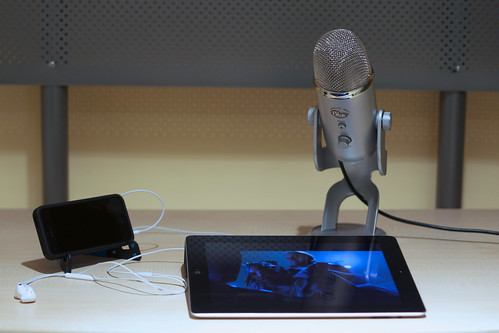
My New Podcasting Workspace by Brad.K, on Flickr
Creative Commons Creative Commons Attribution 2.0 Generic License  by Brad.K

Online education is often accused of being impersonal self-study with predominantly text-based communication that lacks the intimacy of meeting teachers and fellow students face-to-face. The discussion forums of many courses are indeed rather impersonal with many students and teachers opting not to show photos of themselves. The teacher may provide recorded lectures but generally there is very little personal contact in such environments; face-to-face contact is missing and students seldom hear the teacher addressing them directly. As a result it is extremely difficult to foster a sense of community and when interaction is limited and relatively impersonal it is no surprise that many learners simply give up or slowly fade from view. As low bandwidth has become less of an issue in recent years online learning should have been first to reap the benefits of synchronous and asynchronous audio and video communication to provide a more media-rich learning environment and enable more personal contact between students and teachers.

It is surprising therefore that we are only now beginning to exploit the use of audio and video in education. This is highlighted in an article by Steve Kolowich in the Chronicle of Higher Education, Could Video Feedback Replace the Red Pen? It describes how teachers are providing feedback on student assessments by posting short videos instead of commenting in text. The advantages of video feedback are many but above all it makes the teacher-student contact suddenly more personal, offering contact and empathy in a way that text can never convey. The article quotes student reactions to video feedback as overwhelmingly positive, claiming that the communication was real, honest and authentic in comparison with text feedback. The teacher addresses the student directly giving a few minutes of specific feedback and this can make the difference between the student opting out or staying the course. In addition teachers found it quicker and easier to make a video commentary with a mobile and any hesitations or repetition was seen by students as adding to the personal touch of the message.

Instructor feedback seems like a natural fit for video, especially because short videos have become easy for anyone to make and distribute. The Monash instructors, for example, recorded theirs with webcams and iPhones. And yet they found few documented cases of similar experiments in the research literature. Most studies have focused on videos directed at an entire class, they said, rather than ones tailored to individual students.

We should not simply focus on video either. Audio has many advantages and also offers a more personal contact than text. Recording an audio message is simple on any device and audio files can be easily embedded into a Word document or a PowerPoint slide enabling the teacher to give specific feedback on the student's work. Although it's good to see the teacher's face now and again it's often better to hear the voice while looking at the work being commented on. For students with bandwidth limitations audio feedback is not demanding and provides that direct contact between teacher and student that text fails to provide. The British organisation JISC's guide, Using Audio Feedback for Assessment, provides good advice on using audio feedback with students. They have also produced a specific guide to adding audio comments to a Word document.

Some research into the effects of student feedback on their development has brought up themes of staff effort gone to waste and students not digesting feedback, therefore hindering their development (Hartley and Skelton, 2002). As a result numerous case studies have investigated the potential for successful audio feedback to be an improvement on written feedback in the perception of students and assessors.

Audio and video can also transform the discussion forum offering students a choice in how they contribute. It also increases accessibility for students with impaired sight or dyslexia many of whom will feel much more comfortable making an audio comment than writing text. I know several teachers who use the tool VoiceThread to create discussion threads with a combination of video, audio and text communication and this gives a real voice and face to all participants who, on a more traditional online course, would never see of hear each other at all. Basically a variety of media makes a richer learning environment for all. Imaginative use of media for asynchronous communication can help to narrow the distance in online education. Soon the concept of face-to-face will not necessarily mean being in the same room. It can even be applied to asynchronous communication.

Tuesday, March 20, 2012

Universal translator?

”So I says to him, ’THIS is how you do a by Aislinn Ritchie, on Flickr
Creative Commons Attribution-Share Alike 2.0 Generic License  by  Aislinn Ritchie

The dream of being able to communicate with people whose language you don't speak may well be coming true. We've seen those amazing devices in Star Trek that automatically translate everything you say into an alien language and also mean that all aliens conveniently speak English with a distinct American accent. But now Microsoft have unveiled a prototype piece of software that can translate what you say into another language and can also speak with the same voice tone as you have in your native language. Your translated speech will actually sound like you!

An article in Extreme Tech, Microsoft unveils universal translator that converts your voice into another language, tells more about this remarkable breakthrough and though I don't expect it to replace human interpreters any time soon it could help in some situations. The device needs to spend some time with you to learn your voice patterns and intonation but once trained it can give a relatively good imitation of how you would sound if you really did speak Spanish or Chinese. Just like text translation tools it's bound to have limitations but today's tools are able to learn and adapt. Text translations between major languages (French, English, Spanish) are often very readable today and accuracy is improving. This speech translator isn't ready for mainstream release but it's in the pipeline. Just imagine being able to have an e-meeting with another country and being able to speak each other's languages.

Watch the demo of the translator by Rick Rashid, Microsoft Chief Research Officer, and colleagues at the recent TechFest 2012 (you need to jump to about 12 minutes into the presentation to get to the translator item).

Tuesday, March 13, 2012

Why is education so text-based?

Text by pippoapg, on Flickr
Creative Commons Attribution-Noncommercial-No Derivative Works 2.0 Generic License  by  pippoapg

There are hundreds of tools on the net today that enable voice and video communication. Laptops and mobiles have built-in cameras and microphones to make such communication as easy as possible. Why then is the overwhelming majority of all communication in online courses text-based? The written word has always been the hard currency of the academic world and we seem reluctant to give voice and video equal status even if fluency in these areas is of increasing importance in the modern workplace.

A new report on the digital status of Norwegian higher education (only available in Norwegian I'm afraid, Digital tilstand i høyere utdanning 2011) reports that while students' use of social media for interaction and reflection has increased the same trend cannot be seen among faculty. Tools that reinforce traditional classroom teaching are the most popular (PowerPoint, e-mail, learning management systems) and very little use is made of tools that allow reflection, discussion and collaboration, even if they are often embedded into the learning management systems. At the same time most teachers would agree that reflection, discussion and collaboration are exactly the activities they want to encourage students to do. So why not let them talk and show themselves on video?

This is the main point of an article by Michelle Pacansky-Brock, Are Online Students Hiding Behind Text?, where she describes using a simple but highly effective tool called VoiceThread to encourage students to express themselves orally. With VoiceThread you can set up an asynchronous discussion thread where students and teacher can see and hear each other, thus helping to reduce the distance factor in online education. The ability to present and argue a case needs constant practice and is largely ignored, especially in online learning. In the past we didn't have the tools or the bandwidth to allow students to use video as a means of expression but today there is no excuse. However we (and students) hide behind our texts as if that was our only means of communication.

My question to you, as an educator, is "Should all online students consistently be expected to participate using voice or video?" And if not, why? What have we to lose? Sharing ideas, engaging in large and small group discussions, and doing presentations are all regular components of face-to-face learning and I'd imagine the thought of removing all of these verbal activities from offline college classes would rile up some concerns. So, why is it that we aren't focusing more on the integration of voice into a students' online learning experience?

Michelle first offered her students the choice of contributing by text, voice or video and not surprisingly they mostly opted for text but after testing VoiceThread a few times together with plenty encouragement they found it a powerful learning experience and a valuable enhancement to the online course. Writing is still a vital skill and will probably always be the preferred medium of academic discourse but it's time we also recognized the value of spoken communication and the power of video.

Tuesday, August 25, 2009

You've got five minutes

When speaking to an audience there's an old adage that it takes much longer to prepare a short talk than a long one. The art of conveying a clear and convincing message in less than 10 minutes takes time to learn but is highly effective. Few of us really listen to anyone effectively for long and so if you really want to get the message across it's best to do so as concisely as possible before your audience's attention starts to wander.

This has been taken to heart by Ignite which is an event concept where invited experts are allowed 5 minutes each to get their message across. It's a bit like the classic talent show where singers or comedians are given max 5 minutes to convince the audience that they are any good. In the case of Ignite evenings it's not amateur hour but a showcase for highly gifted speakers to make their mark. On the website you can sample some of these short talks.

The concept seems to be popular and I wonder if it can spark more focus in schools and universities on presentation skills. We tend to play down this important skill today and I think we could all (students and teachers) benefit from more practice at communicating effectively in a limited timeframe.